
Make any AI tool follow
your firm's drafting rules.
DocketDrafter gives ChatGPT, Claude, and other AI tools access to your firm's playbooks: Word templates, document rules, prompts, formatting preferences, reusable prior work, and drafting notes.
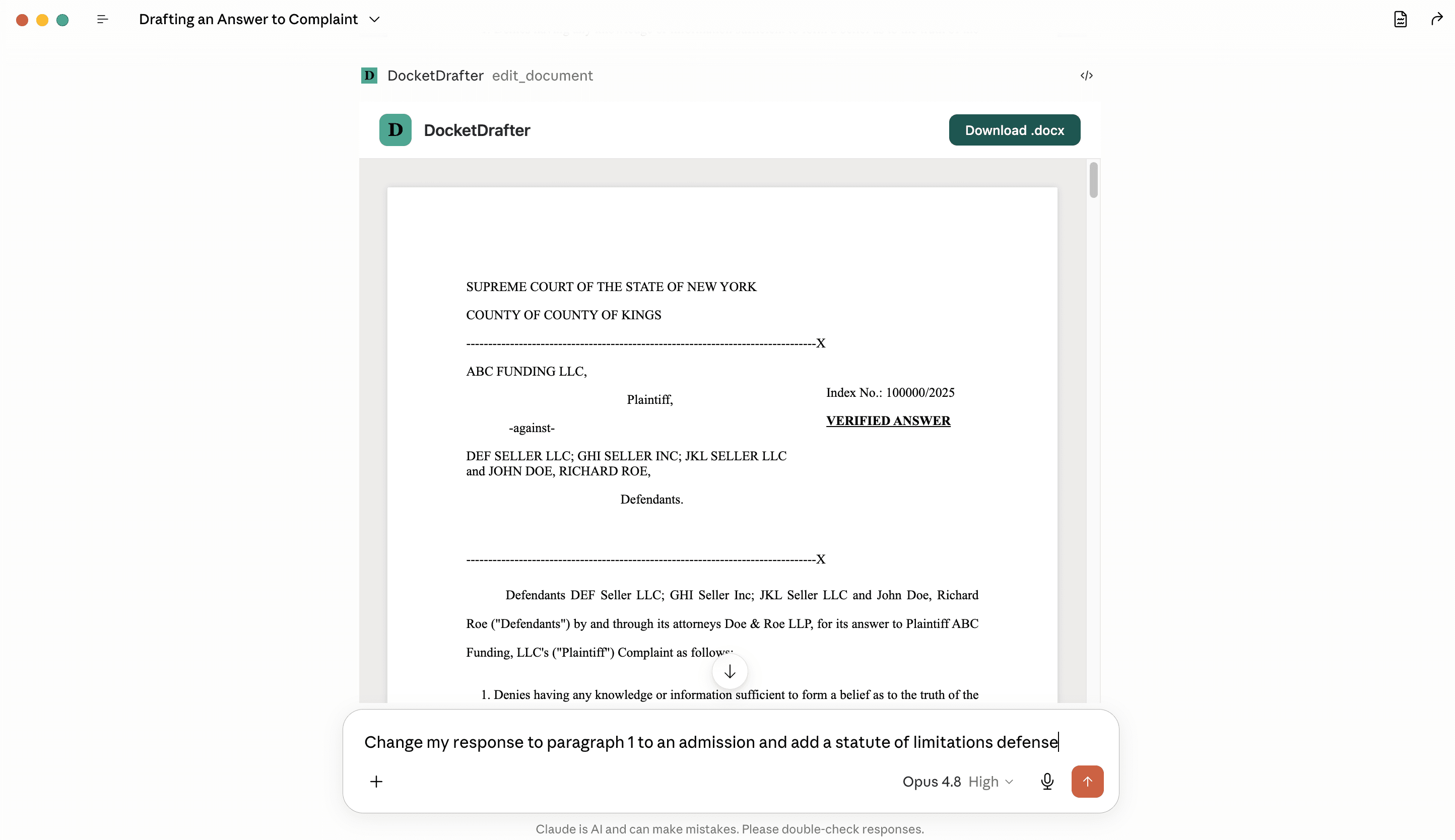
ChatGPT can draft. It does not know how your firm files.
General AI tools do not know your caption layout, index number placement, signature block, date style, citation conventions, preferred templates, or the little formatting choices that make a document look professionally prepared. DocketDrafter supplies those rules before the document is rendered.
Draft where you work
Use ChatGPT, Claude, or another AI tool with the case context and drafting style you already prefer.
Pull in the right playbook
Your AI assistant connects to DocketDrafter and uses the templates, prompts, preferences, and library documents your firm has approved.
Render court-ready Word files
DocketDrafter turns the structured draft into a DOCX file using your preconfigured pleading, motion, affirmation, or firm template.
Playbook setup
Your firm's drafting rules, captured once.
A DocketDrafter playbook is a private package for your firm's documents. It can include Word templates, court-specific conventions, drafting prompts, style preferences, and examples your team wants to reuse.
Not another drafting app.
DocketDrafter does not replace the AI tools your lawyers already use. It gives ChatGPT, Claude, and other connected agents the firm library, templates, drafting rules, and rendering layer they are missing.
Send documents and examples
Give us representative Word templates, preferred examples, and the document types your team drafts most often.
We build your playbook
We package your templates, prompts, formatting rules, drafting preferences, and reusable examples into a hosted firm playbook.
Share it across the firm
Partners, associates, and staff can use the same playbook from the AI tool they prefer, then render consistent Word documents.
You control the legal substance.
DocketDrafter does not replace legal judgment. Your lawyers decide what the document says. Your playbook controls how the AI structures it, what examples it can reuse, and how the final Word file is rendered.
- Your lawyers decide the arguments, facts, and filing strategy.
- Your playbook supplies the templates, document rules, and drafting preferences.
- Your library makes approved prior work reusable instead of buried in old folders.
- DocketDrafter renders the result into a Word file ready for lawyer review.
Your playbook and library are private to your firm.
Your setup is based on your templates, preferences, saved prior work, and drafting notes. We do not train models on your data, and document data is encrypted at rest.
If you need a different storage or retention setup, we can discuss it during onboarding.
Already using AI for litigation drafting? Give it your firm's playbook.
Book a call and we can show how DocketDrafter connects your AI workflow to firm-specific templates, reusable document libraries, drafting instructions, and court-ready Word rendering.
Build my firm playbook